


Expert and Master subscriptions: unlocking Aqua Map's Advanced Tools
Advanced Tools is where Aqua Map's Pro Features and Local Data live, the tools built for mariners who want more than the basics: real-time weather overlays, AIS integration, hazard detection along a route, and official navigational safety data straight from national coast guards. There are two subscription tiers available, Expert and Master, and which one you need depends on how deep you want to go.
 Aqua Map Expert: Pro Features
Expert unlocks Aqua Map's full set of Pro Features, namely:
- Marine Forecasts
 , displaying wind, waves, currents, salinity, sea temperature, and gusts directly on the map. Tap the Marine Forecasts icon to bring up the most relevant weather overlays right where you're navigating;
- Online satellite images, which overlay satellite imagery on top of the chart. Once activated, a slider appears in the lower-right corner of the map so you can adjust how much of the satellite layer shows through;
- Route Explorer, which scans your route or track for hazards, alerts, locks, bridges, marinas, anchorages, and fuel stations, so you can plan fuel stops, time your bridge approaches, and catch potential hazards ahead of time. Route Explorer is also integrated with Marine Forecasts, pulling the latest weather straight into your route analysis;
- Wi-Fi Connections, letting you connect your NMEA0183 and Signal-K devices (iOS only) to Aqua Map, so you can view AIS, depth sounder, wind sensor, autopilot, external GPS, and compass data right in the app;
- AIS Integration, which uses your Wi-Fi Connection to bring your boat's Automatic Identification System into Aqua Map, showing every nearby vessel directly on your chart.
- AnchorLink™, which sets an anchor alarm and lets you monitor your boat's status while at anchor, even from another device when you're not onboard.
 Aqua Map Master: Pro Features plus Local Data
Master includes everything in Expert, plus Local Data, official navigational safety information sourced directly from national maritime authorities. Local Data currently covers the United States, Canada, France, Denmark, and Western Australia.
- USACE Surveys (US only), overlaying more than 90.000 US Army Corps of Engineers surveys, integrated and updated weekly, to help you navigate complex or shifting areas with more confidence.
- 🇺🇸 USA: LNMs and List of Lights, displaying over 54.000 US Coast Guard lights, buoys, and beacons, with daily updates from the Local Notice to Mariners and weekly updates on shoaling, dredging, and scheduled events.
- 🇨🇦 Canada: NAVWARNs, covering changes to navigational aids and current marine activities or hazards, straight from the Canadian Coast Guard.
- 🇫🇷 France: Warnings and Notices, sourced from PING, France's national nautical information platform, covering mainland France, the Antilles, French Guiana, and the North-East Atlantic (NAVAREA II).
- 🇩🇰 Denmark: Warnings and Notices, sourced from the Danish Maritime Authority (DMA), covering both Denmark and Greenland.
- 🇦🇺 Western Australia: Warnings and Notices, sourced from Transport WA, the state's Department of Transport and Major Infrastructure, covering both regional and statewide maritime information.
For a full side-by-side breakdown of what's included in each tier, along with current pricing, check the comparison table on the subscriptions page. Pricing can vary slightly depending on your currency and location.

Getting started
To activate Expert or Master on your device, open the Main Settings Menu. If you haven't subscribed yet, you'll see a "Purchase" option there. Tap into it, and Aqua Map shows you the subscription options available in your region. You can try Advanced Tools free for the first 14 days before committing.
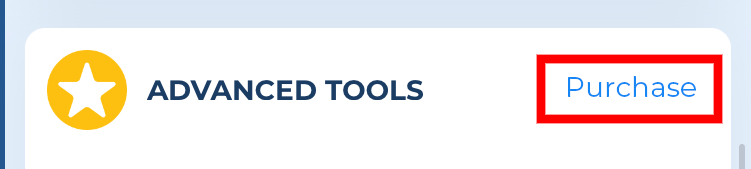
Once your subscription is active, that same menu option will show "Active" instead.

A couple of details worth knowing before you subscribe: Advanced Tools requires an active charts subscription to work, and it renews automatically each year at the same price unless you turn off auto-renewal at least 24 hours before your current period ends. Your account is charged for renewal within that same 24-hour window. You can manage your subscription or turn off auto-renewal anytime from your Apple or Google account settings.
