A Step-by-step guide on the special Sail4th 250 limited feature within Aqua Map
As the Official Navigational Aid Partner of Sail4th 250, Aqua Map has just launched a special enhanced version of the app, in order to provide users with the most up-to-date official data and essential navigation tools at no cost, enabling safe, reliable, and informed monitoring on the occasion of America’s 250th anniversary.
Specifically, starting from June 1 to July 17, Aqua Map offers free access to USA Charts and Master subscription and access to exclusive Sail4th 250 data. This initiative is designed to enhance the digital user experience before and during the historic celebration of Sail4th 250, supporting with additional event-specific information during the parade of July 4th in New York.
Here is a step-by-step guide on how to activate and manage the Sail4th special feature within Aqua Map to access relevant Sail4th 250 data.
GETTING STARTED WITH SAIL4TH
Starting from June 1, when you open the Aqua Map app, a pop-up will appear into your screen to activate the Sail4th feature within your device:
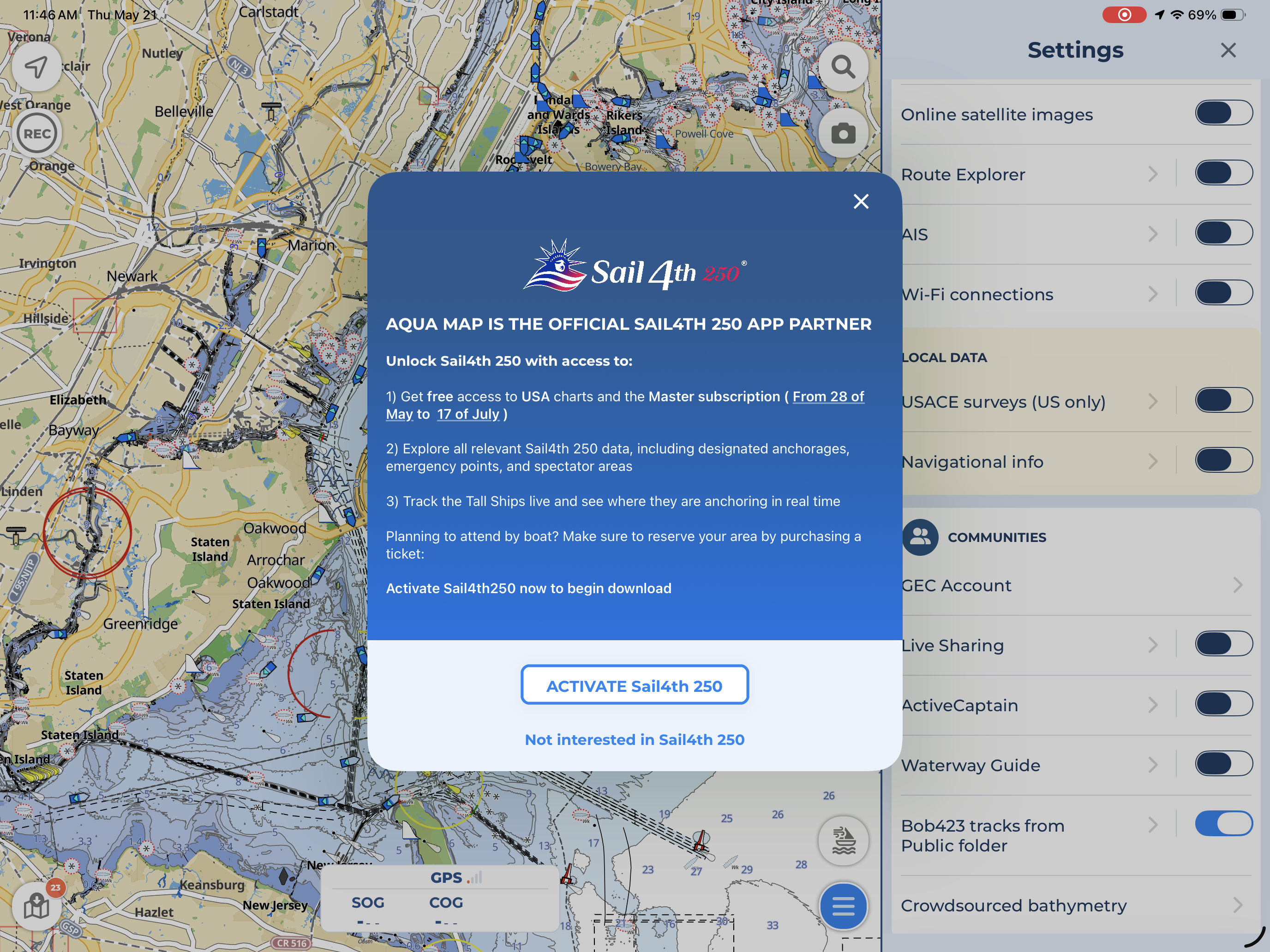
By clicking on the “Activate Sail4th 250” button, you will be automatically redirected to the Sail4th dedicated Settings page, where you can activate the feature. By activating the Sail4th feature, you will have access to:
- Free USA Charts & Master subscription, until July 17. If you already have a USA & Canada subscription, this will not affect your current subscription.
- Relevant Sail4th 250 data, including designated anchorages, emergency points and spectator areas in the area of New York and New Jersey.
- The possibility to track the Tall Ships live and follow their journey to New York.
If you select the “Not interested in Sail4th” button, the pop-up will disappear and the Sail4th data will not be overlaid on your charts.
Note that you can choose to activate this feature later from your Settings page.
SAIL4TH 250 SETTINGS PAGE
From the main Settings menu, you can open the dedicated Sail4th 250 page, where you can activate or customize the way Sail4th 250 data are displayed on your charts.
At the top, there is a switch to enable the download and update of Sail4th 250 data:
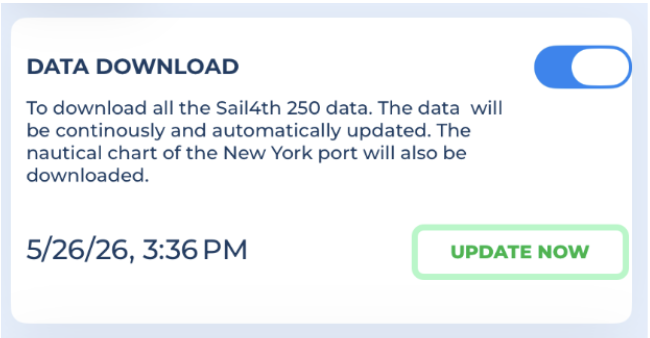
- Data download: switch on to enable the downloading and updating of all the Sail4th250 related data. By activating this feature, you will also have access to free USA charts and Master subscription directly on your account until July 17.
- Update now: press this button to immediately download the latest available data. Please note that the Sail4th data will be automatically updated every 30 minutes.
In the next section, you can choose to show additional exclusive data and configure some display parameters:
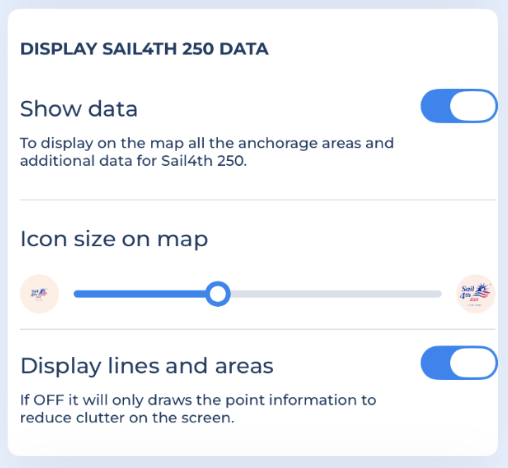
- Show data: switch on to overlay anchorage areas and additional Sail4th 250 data directly on your charts.
- Icon size on map: choose your preferred icon size for all the Sail4th 250 icons.
- Display lines and areas: since the information can include points, lines or areas, you can choose to display all types or only points to reduce clutter on the screen.
In the last section, you can add and customize the position of the Tall Ships participating in the Sail4th 250 celebration:
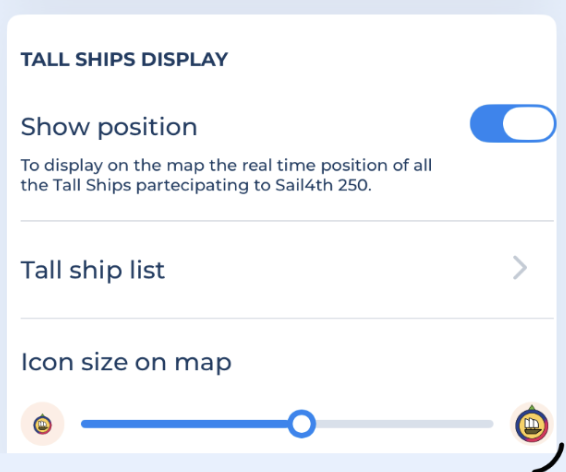
- Show position: enable this option to display on your map all the Tall Ships of Sail4th 250 with their real-time positioning.
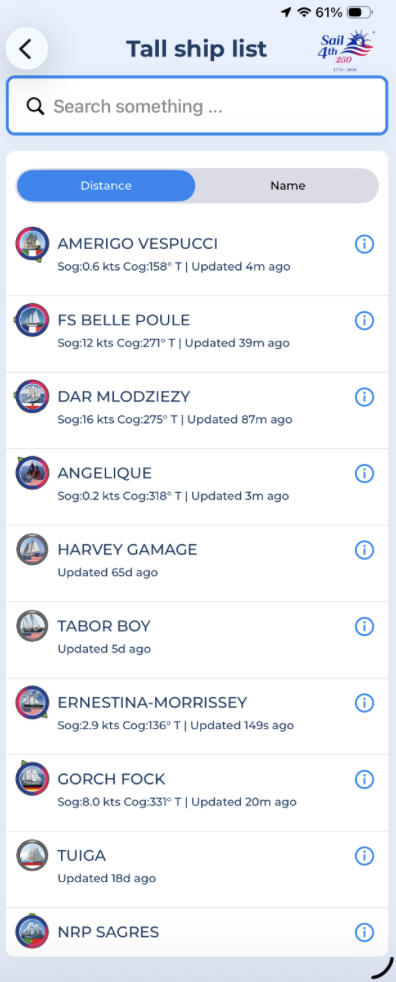
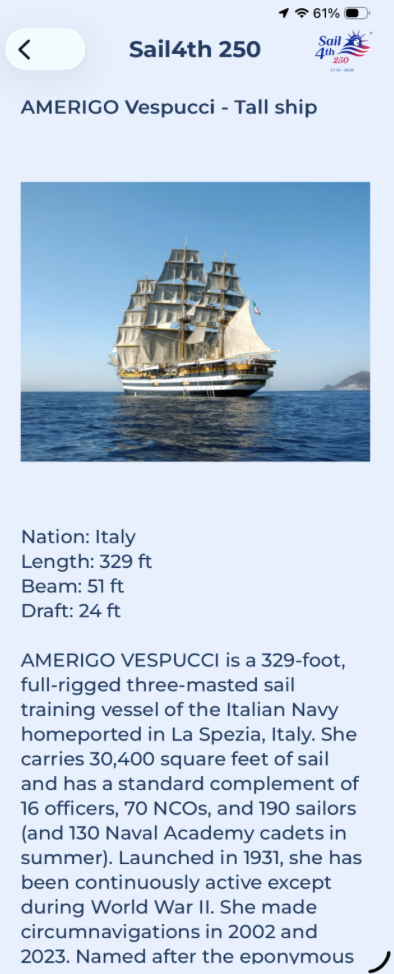
- Tall ship list: you can consult the full list of Tall Ships registered for Sail4th, filtering them by Distance or Name. By clicking on the info button next to each ship, you will access their dedicated information section with details on their history, Nation of origin and ship’s specifications.
- Icon size on map: choose your preferred icon size for all the Tall Ships icons.
As the 4th of July approaches, you will see dedicated event layers appearing on your charts in the area of New York and New Jersey, including anchoring zones, restricted areas and spectator locations. This data will automatically update as the event gets closer.
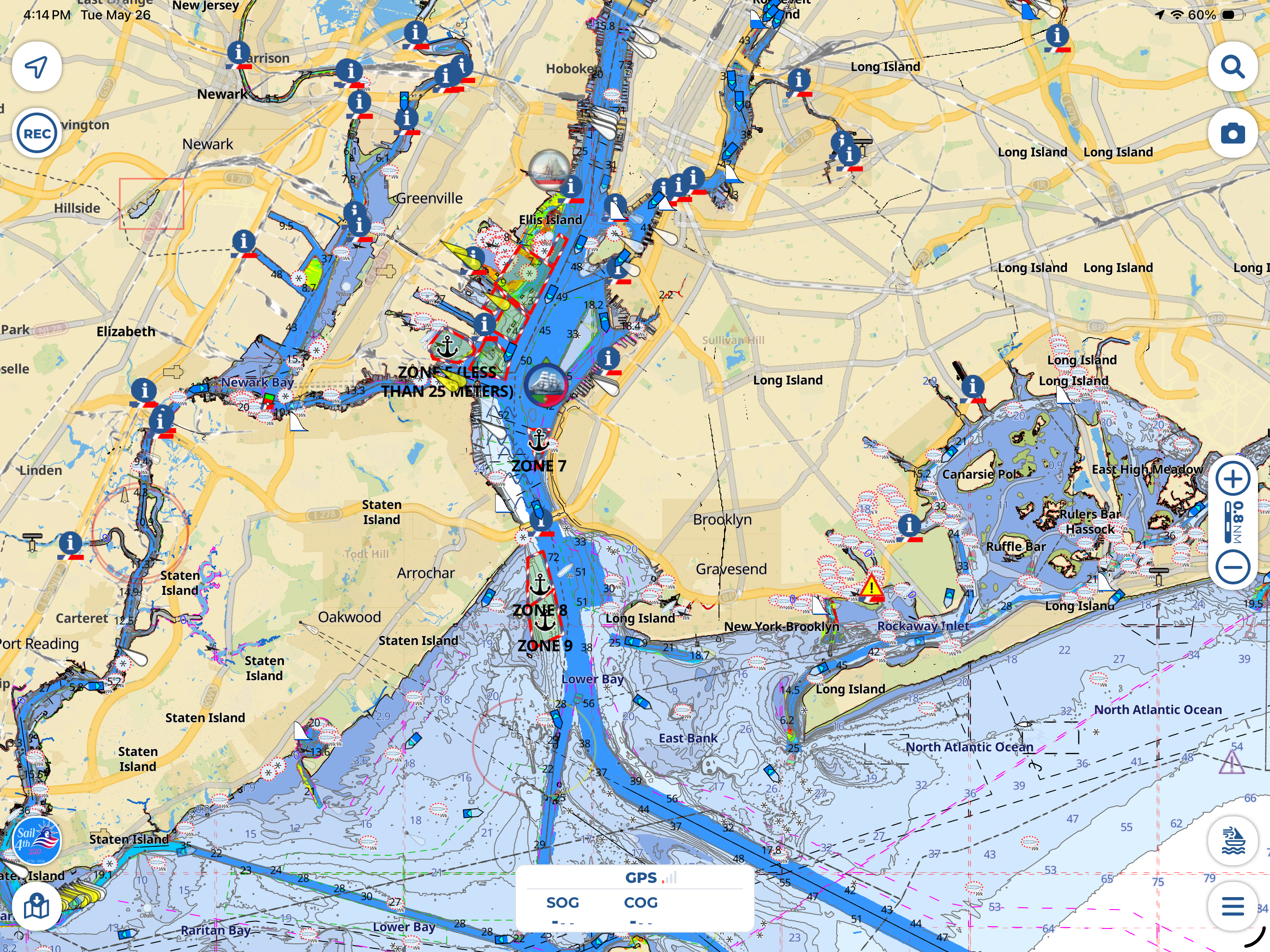
Now you’re set and ready to follow live the unique event of Sail 250 celebration directly within Aqua Map.